 Anointed Staff
Offline Practice and a quiet desk
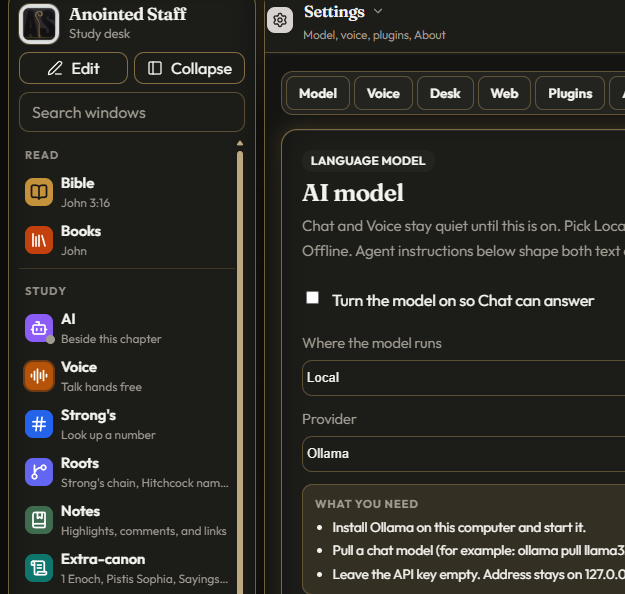
Practice opens on Temple first. Gates of body, soul, and spirit sit with verses already in the library. A spoken walk plays from a local file. No spinner waiting on a voice API. That first second teaches the lore: quiet is something you keep on the desk.
Temple-first, not drill-first
Many language apps shove you into a streak counter. Anointed Staff’s Practice surface leads with a walk — Temple overview, then Meditate sessions, then drills and cards when you want them. The mystical tone here is stillness and attention, not gamified guilt.
The Temple guide uses verses the desk already ships. It does not invent a private sacrament. It names gates the way a study companion names rooms: body, soul, spirit — then returns you to Scripture.
What stays offline
While you study, there is no live ElevenLabs or Comfy call.
- Temple guide and Meditate intros — River voice, local mp3
- Hebrew Hear on Gematria Learn / letter Cards (22 letters + sofit) and featured Hitchcock name clips
- Quiet music under Meditate, Scripture Listen, and Extra-canon — soft instrumental that ducks under spoken audio
- Desk voice cues for Drill and Cards
Regeneration of clips happens outside the running desk (repo docs for bakers). The install you download already contains the quiet. That matches the landing promise: a lamp-lit room that does not quietly phone home.
Quiet music as atmosphere, not soundtrack theater
Quiet music is labeled plainly — not “bed” jargon in the UI. It sits under reading and Extra-canon so the shelf and the chapter can share the same low room tone. When Hear or Listen speaks, the music ducks. The desk stays readable; the lore stays calm.
Five appearances, one gold
Light, Dark, Mystic, Parchment, and Ink share Staff Gold and the same type stack:
- Outfit — UI chrome
- Fraunces — titles
- Literata — Scripture
- Noto — Hebrew and Greek
Pick any look in Settings → Desk or the View menu. The topbar still cycles. Mystic is the lamp-night sibling of the marketing site’s atmosphere; Parchment is warmer paper for long reading; Ink is cool night steel. None of them change the theology of the fence — only the lamp.
Privacy posture that matches the audio
API keys default to session-only. Leave-device confirms cover Nominatim place search, SearXNG, and cloud model tests. Chat and remote STT already confirm. Practice audio never needs those confirms because it never leaves.
If Heavens asks Nominatim for a custom place, that is a different pane with an explicit confirm — see Heavens: clocks, not fortunes. Extra-canon reading with Quiet music stays local — see Extra-canon as a public-domain shelf.
How to walk the quiet desk
- Open Practice. Start on Temple; play the spoken overview once.
- Enter a Meditate session if you want stepped verses with optional Quiet music.
- Use Hebrew Hear on letters or featured names when language study is the hour’s work.
- Switch appearance if the room’s light changed — Mystic for night, Parchment for morning paper.
- Return to the Bible rail; the chapter was never confiscated by Practice.
What Practice refuses
- Live cloud TTS while you “meditate”
- Streak pressure as spirituality
- Ritual seal instructions disguised as Temple poetry
- Shipping Practice as a substitute for Scripture reading
The mystical landing may speak of oil and lamp. Practice still means: local files, labeled shelves, Word at the center.
Download the quiet
Offline audio ships inside the desk build. Download for Windows or run from the monorepo. Open Practice → Temple, put on Quiet music if you want, and keep the chapter one pane away.